How To Unlock A Wolf Induction Cooktop: Easy Guide

A Wolf induction cooktop usually unlocks by pressing and holding the lock key for a few seconds.
If your Wolf induction cooktop is stuck in lock mode, you are not alone. I’ve seen this happen after cleaning, after a power interruption, and even when someone bumps the controls by mistake. The good news is that unlocking a Wolf induction cooktop is usually simple once you know the exact touch sequence and the small things that can block it.

Why a Wolf Induction Cooktop Locks in the First Place
A Wolf induction cooktop uses a control lock to stop accidental changes. That matters because induction cooktops respond fast, and one touch can change heat, turn zones on, or interrupt cooking. The lock gives you a kind of safety pause, like putting a childproof cap on a bottle.
In most cases, the lock is not a sign of damage. It is a normal function designed for safety, cleaning, and peace of mind. When you understand why it is locked, unlocking a Wolf induction cooktop becomes much easier.
Common reasons the cooktop locks include:
• The control lock was turned on manually
• The surface was cleaned while the unit was still active
• A power outage reset the panel into a protected state
• Moisture, grease, or a wet cloth touched the control area
• The unit detected a control issue and paused operation
Wolf appliances are built with safety in mind, and the lock feature is part of that design. That means the fix is often more about timing and touch than repair.

How to Unlock a Wolf Induction Cooktop
The most common way to unlock a Wolf induction cooktop is to press and hold the lock symbol or control lock key for about 3 to 5 seconds. On many Wolf models, you will hear a beep or see the lock light turn off. Once that happens, the cooktop should respond normally again.
Here is the basic process I usually recommend:
- Make sure the cooktop is on or in standby mode
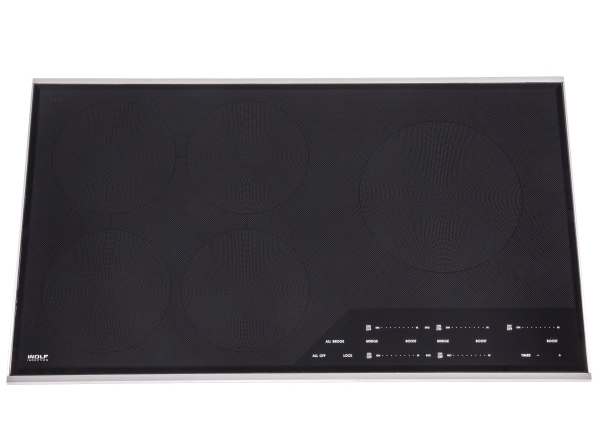
- Find the lock symbol on the control panel
- Touch and hold that key for a few seconds
- Wait for the beep or for the lock icon to disappear
- Try selecting a cooking zone again
If nothing happens right away, do not tap the key repeatedly. I learned the hard way that fast tapping can make the panel ignore input for a moment. A steady press is better than a frustrated one.
On some Wolf induction cooktop models, the lock may be tied to the main power button or a child lock setting. If so, the panel may need to be awake before the lock key works. If the display is dim or inactive, touch the power control first, then try the lock key again.
Here are a few practical tips that help:
• Use a dry fingertip, not a damp cloth
• Remove any cookware from the touch area
• Wait a few seconds after power returns before trying again
• Clean the panel gently if residue may be covering the key area
If your Wolf induction cooktop still will not unlock, the issue may be something simple like a wet surface or a delayed sensor response.
Step-by-Step Troubleshooting When the Cooktop Will Not Unlock
Sometimes the unlock method works, but the cooktop still stays locked. When that happens, I like to troubleshoot in the same order I would use in a real kitchen: simple things first, then deeper checks. This saves time and avoids unnecessary worry.
1. Check for moisture on the control panel
Induction touch panels can be sensitive. Water, steam, or even a damp fingerprint can interfere with the controls. Wipe the area dry with a soft cloth and wait a minute before trying again.
2. Clean off grease or residue
A sticky film from cooking spray or boiled-over food can block touch input. Use a mild cleaner and a soft cloth, then dry the surface fully. Do not use rough pads or heavy chemicals.
3. Power cycle the cooktop
If the panel seems frozen, turn the cooktop off at the breaker for about 1 minute, then turn it back on. This can clear a temporary electronic glitch. I have seen this solve more “locked” cooktops than people expect.
4. Make sure no child lock or demo mode is active
Some Wolf induction cooktop models include extra lock features or showroom settings. If the cooktop behaves strangely after setup or after a service visit, check whether demo mode is enabled. That is less common, but it can make the unit seem locked when it is actually in a different mode.
5. Look for error codes
If the display shows a code instead of the lock icon, the issue may not be the lock at all. Error codes can point to overheating, sensor trouble, ventilation problems, or electronic faults. In that case, unlocking may require clearing the condition first.
A careful approach matters here. The goal is to solve the problem without guessing, because repeated random touches can waste time and add confusion.

What the Lock Symbol Means on a Wolf Induction Cooktop
The lock symbol is a control safeguard. It prevents accidental changes to heat settings and stops the cooktop from turning on by mistake. That is especially useful in busy kitchens, homes with kids, or times when you are wiping down the surface.
There are usually two kinds of lock behavior:
• Control lock, which disables the touch panel
• Child safety lock, which prevents accidental activation
These are similar, but not always identical. Some models use one symbol for both, while others separate the functions in the settings. That is why the exact Wolf induction cooktop model matters.
If you are not sure which version you have, look at the control panel layout. The symbol, display, and response pattern can tell you a lot. In my experience, the panel usually gives a clue if you watch it carefully for a few seconds instead of rushing through the steps.
Model Differences You Should Know
Not every Wolf induction cooktop unlocks in exactly the same way. The main idea is the same, but the timing, icon, and button layout can differ by model line. That is normal with premium appliances, and it is one reason people get stuck even when they are following the “right” advice.
Model differences may include:
• A dedicated lock key versus a shared function key
• A press-and-hold time of 3 seconds versus 5 seconds
• A visible lock icon versus a text indicator
• Different behavior after power loss
• Additional safety or demo settings on newer units
If your cooktop is part of a built-in kitchen system, the control layout may also feel more sensitive than expected. That is not a flaw. It is simply the way many modern induction systems are designed.
The safest move is to check the exact model number on the data label and match the control instructions to that unit. Wolf’s documentation is usually clear once you have the right model in hand.

Common Mistakes People Make When Trying to Unlock It
I have noticed that most unlocking problems come from small mistakes, not major faults. That is good news, because small mistakes are easy to fix. A calm, step-by-step approach usually works better than force.
Here are the most common errors:
• Tapping instead of pressing and holding
• Using a wet finger or damp cloth
• Pressing the wrong symbol
• Trying before the panel fully wakes up
• Ignoring a lingering error code
• Repeatedly resetting power too quickly
One of the biggest mistakes is assuming the panel is broken right away. In reality, induction cooktops are often protecting themselves from moisture, heat, or accidental input. Think of it like a smart gate that stays closed until it recognizes the proper signal.
If you have tried several times and nothing changes, stop and reassess. That pause often reveals the answer faster than more button presses.

When the Problem Is Not the Lock
Sometimes a Wolf induction cooktop looks locked, but the real issue is different. The panel may be on, but the cooktop will not respond because of another condition. This is where a little patience pays off.
Possible non-lock issues include:
• Overheating protection is active
• The pan is not induction compatible
• The cookware is too small for the zone
• The unit is not getting enough power
• A sensor error is blocking operation
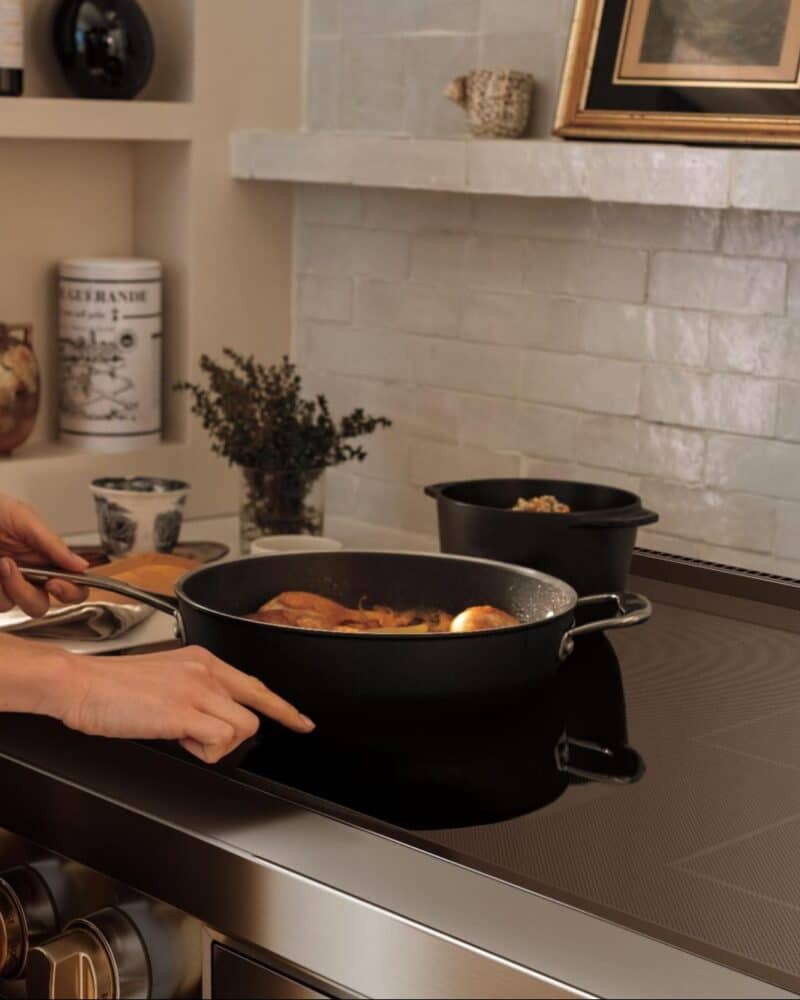
Induction cooking depends on proper cookware and stable power. If the pan does not have a magnetic base, the cooktop may not recognize it. That can feel like a lock issue when it is really a pan issue.
You can test this by placing a known induction-ready pan on the burner and checking for the pan detection symbol. If the cooktop reacts to the cookware but still ignores the controls, the lock feature is more likely the culprit.

Safety Tips Before and After Unlocking
Safety matters even with a simple appliance task. A Wolf induction cooktop gets hot through the pan, but the surface can still be warm, and the controls can react quickly. That is why I always recommend a careful reset rather than a rushed one.
Keep these safety habits in mind:
• Make sure the cooktop surface is dry
• Keep metal objects away from the controls
• Do not place your hand directly on a hot zone
• Use cookware designed for induction
• Unplug or switch off power only if needed and safely accessible
After unlocking, confirm that the selected zone is the one you want before increasing heat. It sounds basic, but it prevents a lot of kitchen mistakes. A few seconds of caution can save a dinner, a pan, or a bad scare.
When to Call for Service
If your Wolf induction cooktop will not unlock after basic troubleshooting, it may need professional service. That is especially true if the panel is unresponsive, the display shows error codes, or the lock function behaves inconsistently. At that point, the issue may be with the touch interface, wiring, or control board.
You should consider service if:
• The lock icon never clears
• The touch panel does not respond at all
• The cooktop shows repeated error codes
• Power cycling does not help
• The unit is under warranty and acting up
I always tell people not to keep forcing a high-end appliance when the symptoms are persistent. Wolf cooktops are precision units, and a trained technician can often find the real issue faster than a lot of trial and error. That is especially important if the problem started after a surge or service visit.
Frequently Asked Questions of How to Unlock a Wolf Induction Cooktop
How do I turn off the lock on my Wolf induction cooktop?
Press and hold the lock symbol on the control panel for a few seconds. On most models, the lock light will turn off or the cooktop will beep when it unlocks.
Why is my Wolf induction cooktop locked after cleaning?
Moisture on the touch panel can trigger the lock or stop the controls from responding. Dry the surface fully, wait a moment, then try unlocking again.
What if the lock button does not work?
Check whether the control panel is awake, dry, and free of residue. If it still does not respond, power cycle the cooktop or look for an error code that may point to a deeper issue.
Can a power outage lock my Wolf induction cooktop?
Yes, a power interruption can sometimes make the cooktop come back in a protected or locked state. In that case, a reset and a fresh press on the lock key usually helps.
Is the child lock the same as the control lock?
They are similar, but not always the same on every model. Some Wolf induction cooktops use one lock function for both, while others separate them in the settings or menu.
Conclusion
Unlocking a Wolf induction cooktop is usually simple once you know the control layout, the lock symbol, and the right press-and-hold timing. Most problems come from moisture, residue, a power reset, or a small user error rather than a real fault. With a calm approach, you can usually get the cooktop working again in just a few moments.
If your cooktop still will not unlock after the basic steps, do not guess too long. Check the model-specific instructions, inspect for error codes, and reach out for service if needed. The next time your Wolf induction cooktop locks up, you will know exactly how to handle it with confidence.
If this guide helped, bookmark it for later and share it with someone who uses a Wolf induction cooktop too.